I love all synth. And one that is really hard to come over is NI Kore.When i need that extra in a tune. Then a start up Kore. But as it is hard to install under new OS. I will not give you this know how here.
In my example.
here is my start
I add a tone in first level. Then i add a bass. Analoglab 3 i want to add some more .
Then i Use Kore 2.Why because it is amazing.
I add this in pattern 1
Pattern 2 - Kore 2
I do not know why but after i installed MIDI Control Center, then the settings changed to this.
Before it was only Arturia minilab.
But now i am able to use all knob in my keyboard.
Something that i learn is this
By click on this and choose the tone see the two tone in orange.
Then you can make some really nice drum effekt.
This also is possible to tune
And the sound is amazing
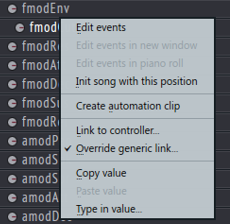
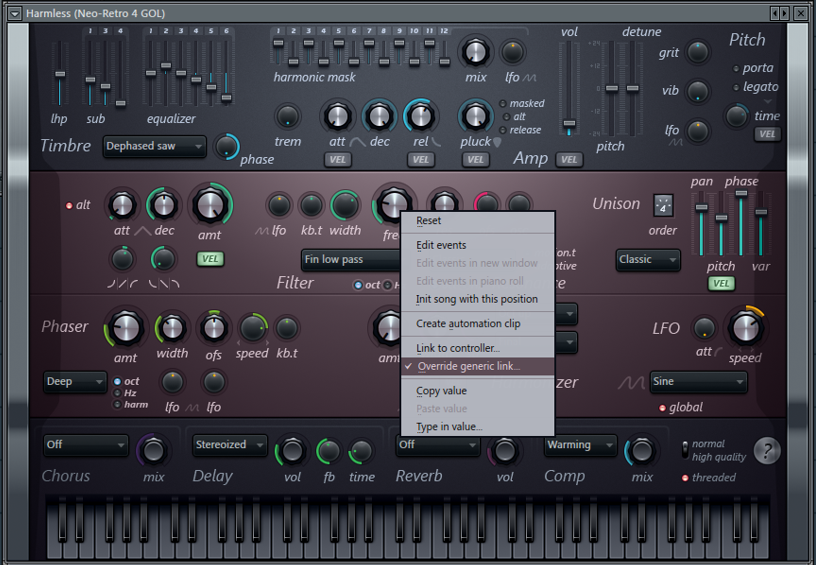
So this is possible to makeautmation clip on.And we can link to controller and let the sound change as we go along.
FL Studio Guru | Creating Permanent Controller Links
FL Studio: How to hook up (Link) your Midi Controller FASTEST & EASIEST
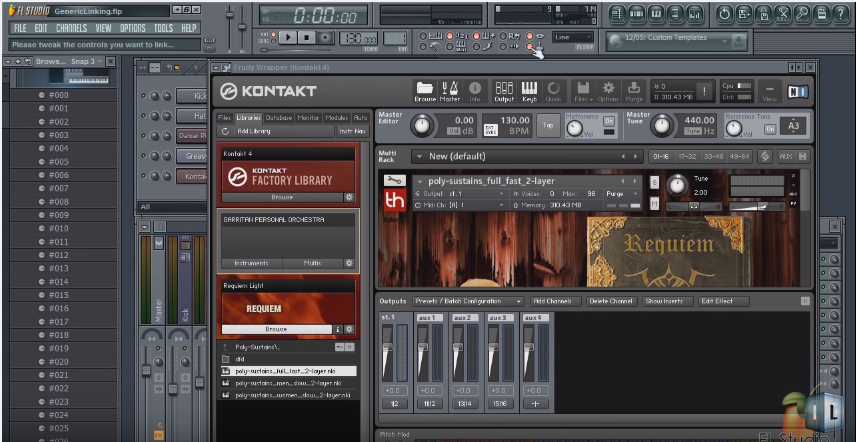
FL Studio: How To Link a 3rd Party VST to an Ext. Midi Controller
--------------------------------------------
Arturia Analog Lab 2 Tutorial
The problem with Arturia Minilab is:
If you not start up MIDI Control Center first then no knob will work under FL studio.
1. Start up MIDI Control Center - Press sync
2. Start up Fl Studio
3. Start up Arturia Plugins
4. Now it should work
If this is not done i have found out that all knobs are useless in Fl Studio.
But there is also problem here. Sometimes i found out that this picture not come
Under Arturia minilab it should say sync 1. But many times it comes with FAIL.
Then nothing work.
I have found out that if i sync again and restart FL Studio then all working.
There must be something that is connected to input port.
Because if input port is ---
Then nothing
When i changed this to : 0 , then knobs worked
So to make Arturia Minilab work under FL Studio then you need
Input port til be same as:
and to sync the controller with MIDI Control Center
The next that i need to find out is how to make all knobs work under different VST then Arturia.
First of all i just do it to have some fun. It is like you paint something and then you learn something new after every day. (By the way, i really do paint too)
There are many that is much better then me. I just do this to learn something new everyday. And see if i can create something beautiful.
To day i created a tune i called Norwegian Fjords.
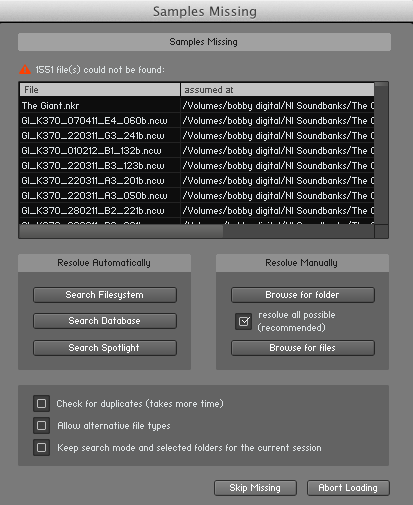
This article explains how to Batch re-save a Library in KONTAKT 5. This function can help if you get a Samples Missing dialog
when trying to load an Instrument from a particular KONTAKT
Library.
This means that the KONTAKT Instrument is unable find its
samples. For example, this can happen if you have moved the Library from
one computer to another; the file paths of the samples
now invalid.
Performing a Batch re-save will correct the file paths of the samples for all KONTAKT Instruments within a Library.
In this example, we try to load The Giant Instrument from THE GIANT Library, but KONTAKT cannot locate the samples corresponding to the Instrument.
To resolve this issue, follow these steps:
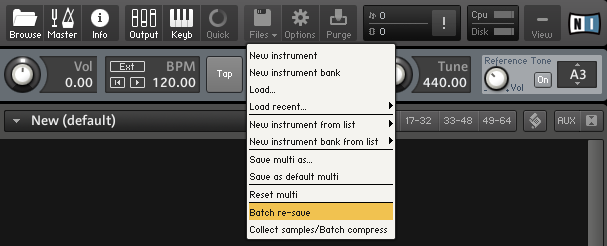
Select Batch re-save from the File drop-down menu within KONTAKT's Main Control Panel.
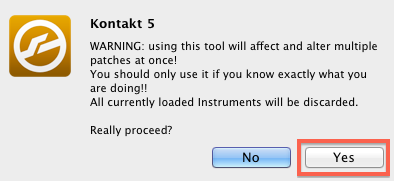
A warning dialog appears. Click Yes to proceed.
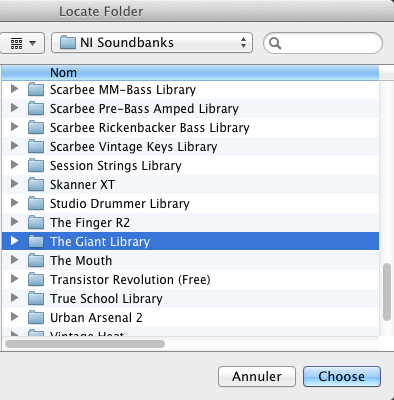
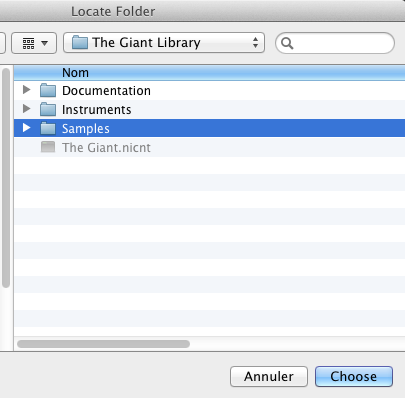
Locate the Library folder in the OS X Finder or Windows Explorer. In this example, we are selecting The Giant Library. Once selected, click Choose to proceed.
At this point, KONTAKT will check the Library. If samples are missing, a Samples Missing dialog will appear. In this dialog, click Browse for folder.
In the Locate Folder window which now appears, select your Library's Samples folder. Once selected, click Choose to proceed.
KONTAKT
will now batch re-save the Library and re-link all the
Library's Instruments to their respective sample content. Your KONTAKT
Library's Instruments will now load correctly.